
TL;DR:
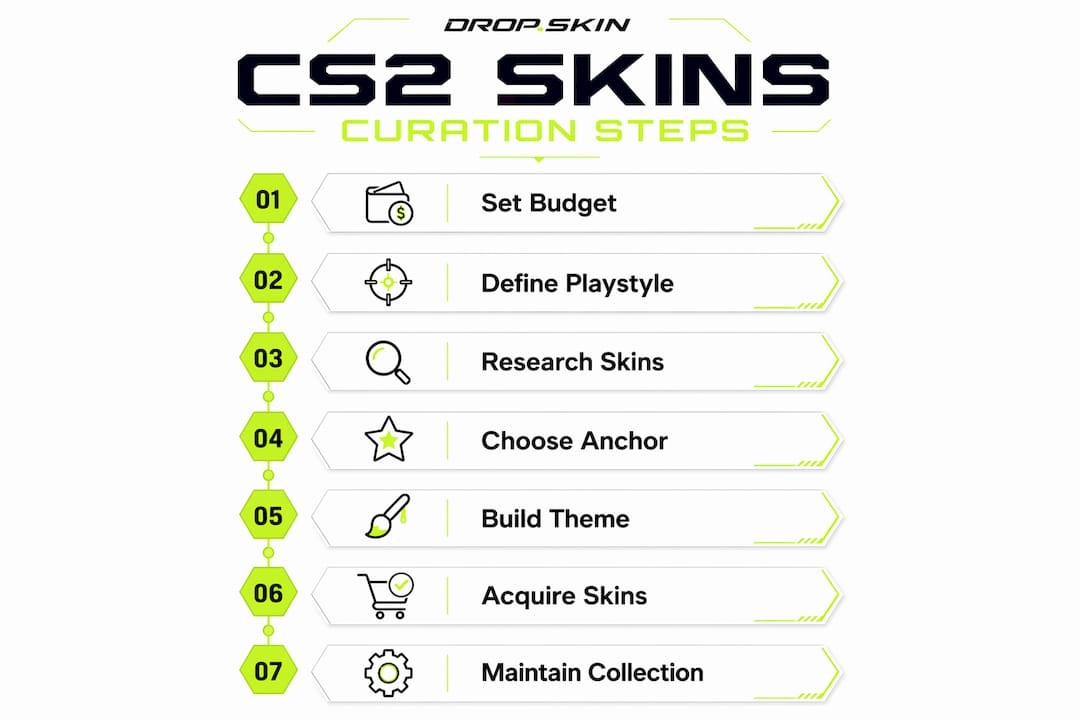
- Step by step skins curation involves building a personalized CS:GO or CS2 inventory that reflects your playstyle and aesthetic goals.
- It starts with setting a budget, choosing an anchor item, and defining a color theme to guide your selections over time.
Step by step skins curation is the methodical process of building a personalized, cohesive CS:GO or CS2 skin inventory that reflects your playstyle and digital identity. Most players buy skins randomly and end up with a mismatched collection that feels hollow. A structured skin selection process fixes that by starting with a clear budget, an anchor item, and a theme, then expanding incrementally until every weapon slot feels intentional. This guide covers every stage, from prep work through long-term maintenance, so you can build a loadout you actually enjoy looking at.
What preparatory steps do you need before starting skins curation?
Good skin curation starts before you open a single marketplace page. Setting a clear budget is the first move. Experts recommend splitting your budget across the entire loadout rather than dropping everything on one flashy item. That approach lets you upgrade each slot gradually without leaving the rest of your inventory bare.

Defining your playstyle comes next. Stealthy tactical skins suit lurkers, while loud, high-contrast patterns fit entry-fraggers who want to make a statement. Skins are purely cosmetic, but choosing ones that match how you play deepens your connection to your inventory. Think of it as dressing for the role you perform in-game.
Before you search for specific skins, learn three technical terms: float value, wear condition, and pattern seed. Float value is a number between 0 and 1 that determines how scratched a skin looks. Wear condition is the label attached to float ranges, covering Factory New, Minimal Wear, Field-Tested, Well-Worn, and Battle-Scarred. Pattern seed controls the exact placement of the design on the weapon surface.
Pro Tip: Two Factory New skins with identical float values can look completely different because their pattern seeds affect scratch placement and design layout. Always inspect the specific item, not just the condition label.
Tools to use during your research phase
| Tool | Best use |
|---|---|
| Steam Community Market | Price history and current listings |
| Dropskin filters | Sorting by condition, float, and price range |
| Community forums and Reddit | Float inspection screenshots and pattern comparisons |
| In-game inspect links | Real-time visual check before buying |
How do you choose an anchor item and build a theme?
The anchor item is the single skin that defines your entire loadout's visual direction. Securing an anchor item first gives you a visual and budget foundation to build everything else around. Without one, you end up chasing random skins that never quite fit together.
Knives and gloves are the most common anchor choices because they appear in your hand constantly. A knife with a deep blue finish, for example, naturally pulls your loadout toward cool-toned blues and purples. Gloves with a red leather texture push the palette toward warm reds and oranges. The anchor item does not need to be the most expensive skin you own. It just needs to be visually dominant and clearly styled.
Once you have your anchor, choose a primary color or aesthetic theme to guide every other purchase. Common themes include:
- Monochrome: Black and gray skins across all weapon slots for a clean, minimal look
- Blue/purple: Cool-toned skins built around knives like the Doppler or Gamma Doppler
- Red/orange: Warm palettes anchored by gloves like the Crimson Weave or Bloodhound
- Military/tactical: Olive, tan, and camo patterns for a grounded, realistic feel
Stickers offer a cost-effective way to fix color mismatches without buying new skins. Four thematic stickers applied to a neutral weapon can pull it into your color theme without spending on a replacement skin. A gray AK-47 with four blue stickers reads as part of a blue loadout. That is a $5 fix instead of a $50 one.
Pro Tip: Build your theme around two colors maximum. Three or more colors make a loadout look busy rather than curated. Pick a dominant color and one accent, then stick to it.
How do you select and acquire skins for your curated loadout?
This is where the step by step skin guide becomes most practical. Follow this sequence for each weapon slot you want to fill:
- Research the skin's visual attributes. Look at screenshots across multiple float values, not just the preview image. Avoid overpaying based on preview images alone since in-game conditions vary significantly from promotional renders.
- Check price history. A skin that spiked last month may be returning to its baseline. Buying during a dip saves real money.
- Inspect the specific item. Use the in-game inspect link or a sandbox tool to see the exact float and pattern before committing. Float value and pattern seed both affect appearance and resale value in ways the condition label alone does not reveal.
- Choose your acquisition method. Each method has a different risk and cost profile.
- Complete the purchase and log it. Record the price, float, and date so you can track your collection's value over time.
Comparing acquisition methods
| Method | Cost control | Risk level | Best for |
|---|---|---|---|
| Direct market purchase | High | Low | Specific skins with known float |
| Community trading | Medium | Medium | Refreshing inventory without cash |
| Case openings | Low | High | Budget entertainment, not targeted curation |
Buying on established marketplaces gives you the most control over float and price. Case openings are entertaining but statistically poor for targeted curation. Trading unused skins with the community sits in the middle. Active trading communities let you exchange duplicates or unwanted skins for ones that fit your theme, often without spending additional cash.
Incremental upgrading is the most effective long-term strategy. Start with cheaper skins in each slot and replace them one at a time as your budget allows. Rushing to complete a loadout in one session almost always leads to buyer's remorse. Patience is a genuine competitive advantage in skin curation.
Pro Tip: When trading, always check the skin marketplace dynamics for the skins involved. A skin that looks like a fair trade on the surface may be trending down in value, leaving you holding a depreciating asset.
How do you maintain and enhance your skin collection over time?
A curated loadout is never truly finished. The best collectors treat their inventory as a living project that improves with time and attention.
Budget tracking is the foundation of long-term curation. Use a spreadsheet or a dedicated app to log every purchase, trade, and sale. Record the price paid, the current market value, and any trades made. This gives you a clear picture of your collection's total value and prevents overspending during impulsive moments.
Event participation provides access to exclusive skins and cost-effective ways to expand your collection. Major CS2 tournaments and Valve-run events often release limited-time items that become valuable later. Tracking event schedules and staying active in the community increases your chances of securing these items before prices rise.
Ongoing curation best practices include:
- Review your loadout quarterly. Tastes change. A skin you loved six months ago may no longer fit your theme.
- Monitor price trends. Skins tied to active pro players or popular streamers spike when those players perform well. Buying before the spike and selling into it funds upgrades elsewhere.
- Trade duplicates immediately. Holding two skins in the same slot ties up budget that could improve a weaker slot.
- Set a "do not sell" list. Some skins hold sentimental value. Deciding in advance which ones you will never trade prevents regret-driven decisions.
Pro Tip: The best time to buy most skins is during a major tournament's group stage, when casual players flood the market with listings. Prices often dip 10–20% before rising again after the event ends.
Key Takeaways
A curated CS2 loadout built around an anchor item, a defined theme, and incremental purchasing delivers more satisfaction and better long-term value than random buying.
| Point | Details |
|---|---|
| Set a split budget first | Distribute funds across all weapon slots before buying anything. |
| Anchor item defines the theme | Choose a knife or gloves first to lock in your loadout's color and style direction. |
| Inspect float and pattern seed | Never buy based on preview images alone; inspect the specific item before purchasing. |
| Use stickers for color correction | Four thematic stickers on a neutral skin unify a loadout without expensive replacements. |
| Upgrade incrementally | Start cheap in each slot and replace items one at a time to avoid buyer's remorse. |
Dropskin's take on what most curation guides get wrong
Most guides tell you to pick a theme and stick to it. That is correct advice, but it misses the harder truth: the biggest mistake new collectors make is treating curation as a shopping list rather than an evolving identity. I have seen players spend hundreds building a "perfect" loadout in two weeks, then feel nothing when they log in because the collection does not actually reflect how they play or what they find visually interesting.
Start smaller than you think you need to. One great knife and three or four skins that genuinely excite you will feel better than a full loadout of mediocre fillers. The gaps in your inventory are not a problem. They are motivation to keep playing and trading.
The other mistake worth naming directly: chasing hype. When a pro player uses a specific skin in a major tournament, its price spikes within hours. Buying into that spike almost never pays off. The skin looks the same as it did before the hype. You are paying for attention, not quality. Build your skin collection guide around what you love, not what is trending this week.
Skins are your digital identity in CS2. A collection that reflects your actual taste will always feel better than one built to impress strangers on a loadout showcase thread.
— Dropskin
Dropskin makes the curation process faster and more focused
Building a loadout from scratch takes time, but the right platform cuts out most of the friction. Dropskin gives you access to CS2 case openings, skin upgrades, and a curated marketplace with filters that let you sort by condition, float range, and price.
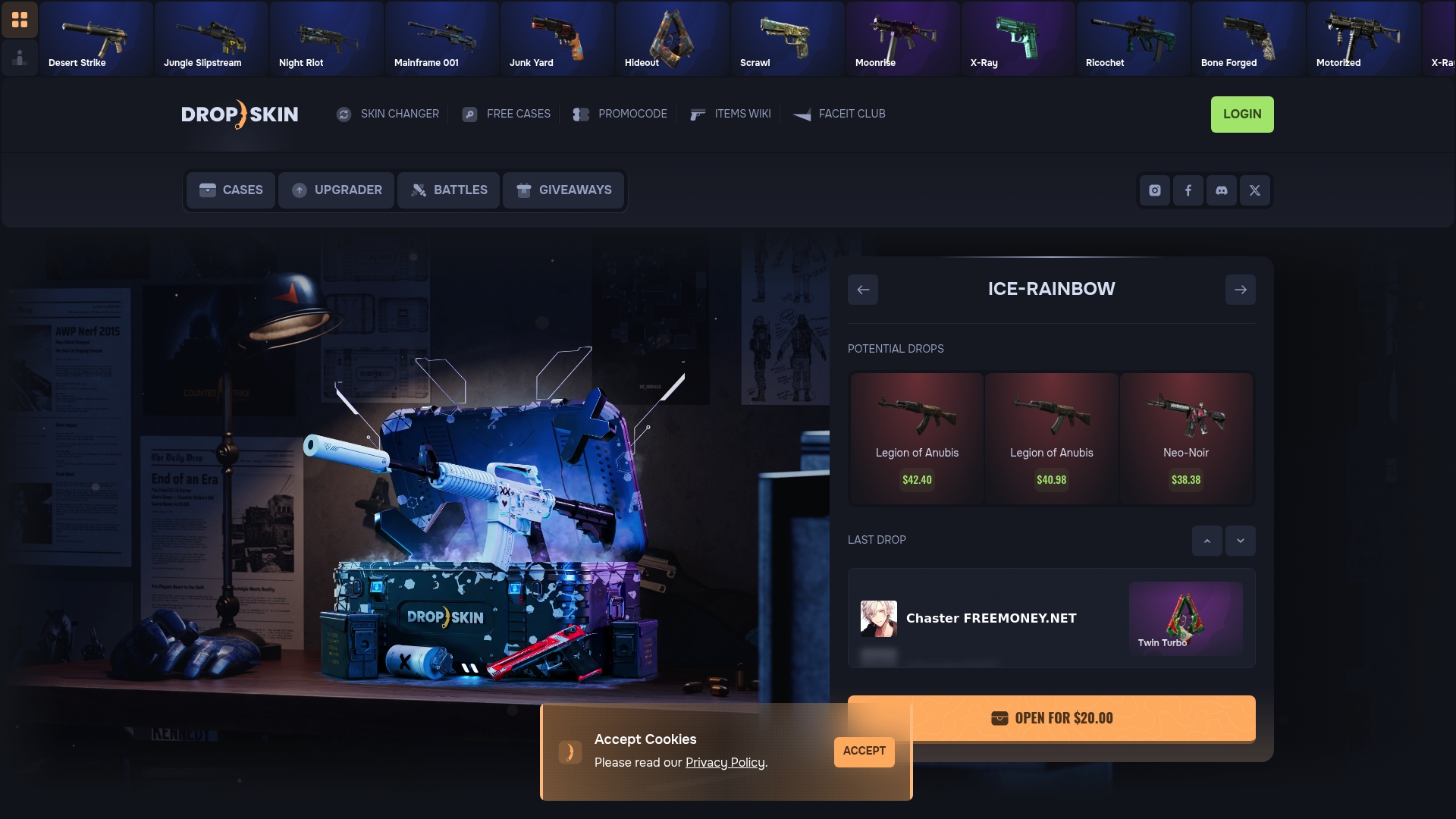
Whether you are hunting for a specific anchor knife or filling out the last few slots in a themed loadout, Dropskin's case openings and upgrades give you a cost-effective way to acquire skins without overpaying on the open market. The upgrade feature is especially useful for incremental curation: put in a skin you no longer need and trade up toward something that fits your theme. Dropskin also runs regular giveaways and promo codes, so your budget stretches further than it would on a standard marketplace.
FAQ
What is step by step skins curation in CS2?
Step by step skins curation is the process of building a cohesive CS2 inventory by starting with an anchor item, defining a color theme, and adding skins incrementally. The goal is a loadout that reflects your playstyle and personal aesthetic.
What is float value and why does it matter?
Float value is a number between 0 and 1 that determines how worn a skin looks in-game. Lower floats mean cleaner skins, and float combined with pattern seed affects both appearance and resale value significantly.
What is the best anchor item for a new loadout?
Knives and gloves are the best anchor items because they appear constantly in your field of view. Choose one that clearly establishes a color or style, then build every other weapon slot around it.
How do stickers help with skin curation?
Stickers let you apply a thematic color to a neutral skin without buying a replacement. Four matching stickers on a single weapon can pull it into your loadout's color scheme for a fraction of the cost of a new skin.
Is trading or buying better for curating skins?
Direct marketplace purchases give you the most control over float and price, making them better for targeted curation. Trading works well for refreshing your inventory without spending cash, especially when you have duplicate or off-theme skins to exchange.