
TL;DR:
- Starting CS2 skin trading requires setting up your account with a $5 spend and enabling Steam Guard for 15 days to avoid trade holds. Choosing low-fee third-party marketplaces and practicing trusted peer-to-peer trades with verification ensures safer profits. Following a repeatable process, tracking trades, and avoiding scams help beginners build inventory steadily and safely.
A beginner's workflow to trading skins is a step-by-step process that lets casual gamers trade CS:GO and CS2 virtual skins safely, build inventory, and earn consistent small profits. Skin trading, formally called peer-to-peer item exchange, runs through Steam's trade offer system and a growing network of third-party marketplaces. Getting it right from day one means setting up your account correctly, picking the right platform, and following a repeatable process for every trade. Skip any of those steps and you risk losing items, paying unnecessary fees, or falling for scams.
What are the essential account setup steps for CS2 skin trading?

Every skin trader needs three things before placing a single offer. All CS2 traders must have a Steam account with at least $5 spent, Steam Guard Mobile Authenticator enabled for 15 days, and no active trade bans. That $5 minimum removes bot accounts from the ecosystem. The 15-day authenticator wait is the detail most beginners miss.
Why the 15-day wait matters: Steam imposes a trade hold on any account that has not had Steam Guard active for at least 15 days. A trade hold locks your items for up to 15 days after each trade. That delay kills your ability to flip skins quickly and frustrates trading partners. Enable Steam Guard the moment you decide to start trading, then wait out the period before touching any items.
One more timing rule catches beginners off guard. Newly purchased skins carry a 10-day quarantine before they become tradable. Buy a skin today and you cannot trade it until next week. Plan your inventory purchases around that window so you are never stuck waiting when a good deal appears.
Here is the setup sequence to follow:
- Spend at least $5 on any Steam purchase to unlock full trading privileges.
- Download the Steam Mobile app and enable Steam Guard Mobile Authenticator.
- Wait 15 full days before attempting any trades.
- Generate your personal trade URL in Steam settings and save it somewhere accessible.
- Review your privacy settings and set your inventory to public so partners can verify your items.
Pro Tip: Set a calendar reminder for day 16 after enabling Steam Guard. That is your first day of unrestricted trading, and having a target date keeps you from jumping in too early.
How do you choose the right marketplace for skin trading?
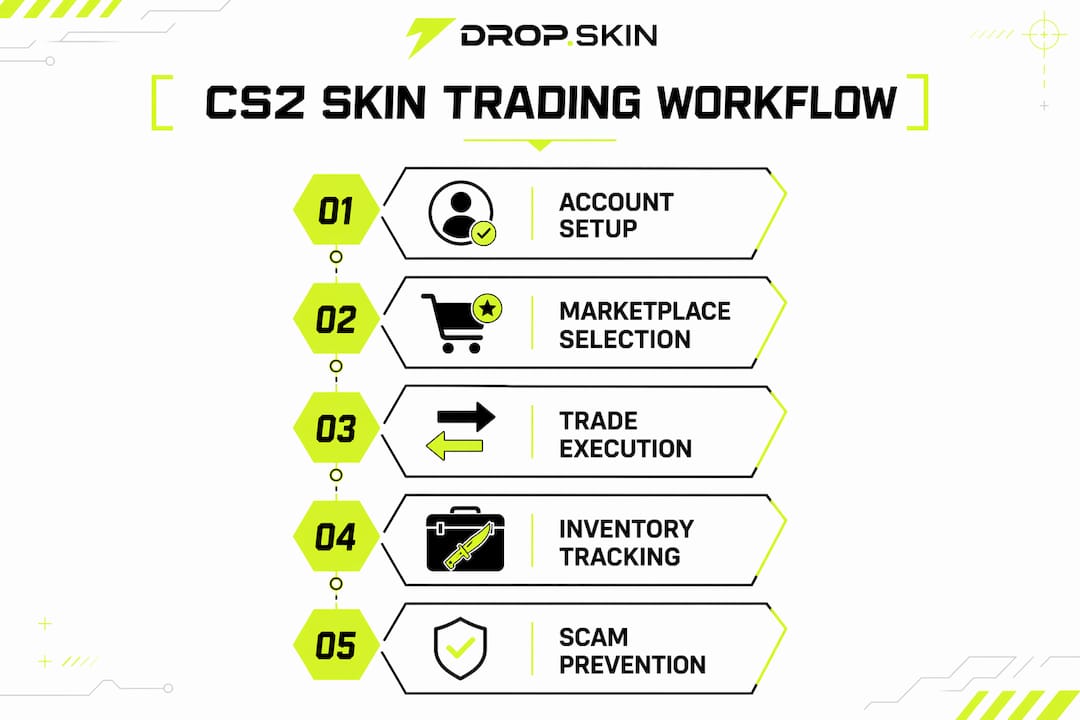
The marketplace you pick directly determines how much profit you keep. Steam Community Market charges a combined 15% fee, while some third-party marketplaces offer fees as low as 2%. On a $50 skin, that difference is $6.50 per trade. Across dozens of trades, it compounds fast.
Steam Community Market vs. third-party platforms
Steam Community Market is the safest starting point. It is built into Steam, requires no external accounts, and your items never leave the Steam ecosystem. The downside is that 15% fee and the fact that proceeds stay as Steam wallet funds, not real cash.
Third-party marketplaces offer lower fees and sometimes real-money withdrawals. The tradeoff is that you must trust an external site with your Steam API key or trade URL. Stick to platforms with verified reputations, two-factor login, and transparent fee disclosures. A useful comparison of reputable trading platforms can help you evaluate your options before committing.
Bot trading vs. peer-to-peer trading
Direct P2P trading through Steam friends or forums avoids fees but requires trust in your trading partner. Bot trading on marketplaces is safer but involves paying marketplace fees and sometimes accepting slightly below-market prices for speed. Automated bot trading reduces scam risk and speeds up transactions, making it the better choice for beginners who prioritize safety over maximum profit.
Key factors to evaluate when picking a marketplace:
- Fee structure: Total percentage taken from each sale, including game fee and platform fee.
- Withdrawal options: Whether you can cash out to PayPal, crypto, or only Steam wallet.
- Reputation: User reviews, community forum mentions, and how long the site has operated.
- Security features: Two-factor authentication, API key protection, and phishing warnings.
What step-by-step process should beginners follow for their first skin trade?
A repeatable trade process protects you from mistakes and scams. Follow these steps for every trade, especially your first few.
- Find a trading partner. Use Steam trading forums, community groups, or a trusted marketplace listing. Never accept random trade requests from strangers without verifying their profile history and trade reputation.
- Check the partner's profile. Look for a public inventory, a reasonable account age, and positive trade feedback. A brand-new account with zero history is a red flag.
- Send or receive a trade offer through the Steam Trade Offer system. Never trade through chat links. Type the trade URL directly into your browser or use the in-game trade interface.
- Review every item in the trade window carefully. Experienced traders always verify float values, sticker quality, and patterns in the trade window to catch substitutions of cheap items for expensive ones. A skin that looks identical can have a dramatically different float value and market price.
- Confirm the trade through the Steam Mobile app. Never confirm trades on a desktop browser alone if your authenticator is active. The mobile confirmation is your last line of defense.
- Check your inventory immediately after the trade completes. Verify you received exactly what was agreed upon. If anything looks wrong, contact Steam Support right away.
Pro Tip: Screenshot the agreed trade terms in chat before confirming. If a dispute arises, that screenshot is your evidence when contacting Steam Support.
Which trading strategies help beginners grow their inventory safely?
The most reliable beginner strategy is arbitrage combined with a strict budget. A recommended starting budget is $10–$50, focused on high-liquidity skins, with expected profit margins of 5–10% per trade after fees. That sounds modest, but it compounds quickly when you reinvest profits consistently.
Arbitrage: the core beginner tactic
Arbitrage means buying underpriced items on one marketplace and selling higher on another. It is the most reliable beginner method because it does not require predicting market trends. Arbitrage requires checking prices across at least three marketplaces per trade because fees and prices fluctuate constantly. A skin listed at $10 on one platform might sell for $13 on another, netting you $2–$3 after fees.
Liquidity over rarity
Experts stress liquidity over skin rarity or looks for beginners to maintain fast inventory turnover and keep capital available. A rare knife skin might sit in your inventory for weeks. A popular AK-47 or M4A4 skin in a mid-tier condition sells within hours. Fast sales mean you can reinvest and compound profits instead of waiting.
Track every trade in a spreadsheet
Paper trading with spreadsheets to simulate trades before investing real funds helps beginners understand fees and risks without losing money. Once you start real trading, keep the spreadsheet going. Log every purchase price, sale price, and fee paid. After 20 trades, you will see exactly which skin categories and marketplaces produce the best returns. That data is more valuable than any tip you will read online.
A few habits that separate profitable beginners from those who quit early:
- Set a weekly loss limit and stop trading if you hit it.
- Never buy a skin because it looks cool. Buy it because it sells fast.
- Avoid hype-driven purchases. Rushing into expensive skins based on trends is the most common beginner mistake.
- Reinvest a fixed percentage of profits rather than spending them immediately.
- Review your spreadsheet weekly and adjust your strategy based on real data.
What are the most common skin trading scams and how do you avoid them?
Scams in CS2 skin trading are frequent and often sophisticated. API key theft and phishing are rampant. Traders should never click links sent in chat and should always type official URLs manually. A scammer who steals your Steam API key can intercept your trade offers and redirect items to their own account without you noticing until it is too late.
Never accept a trade from someone who contacted you first with an "amazing deal." Legitimate traders do not cold-message strangers. Verify every trade partner independently, check their profile history, and confirm all item details in the official Steam trade window before approving anything.
Watch for these specific warning signs:
- A "middleman" offer from someone claiming to verify the trade. Steam's system does not require human middlemen. Anyone offering this service is a scammer.
- A trade window that shows slightly different items than what was discussed in chat. Scammers swap items at the last second hoping you confirm without looking.
- Urgent pressure to confirm quickly. Legitimate trades can wait. Pressure is a manipulation tactic.
- Links to sites that look like Steam but have slightly different URLs. Always check the full URL before entering any credentials.
If a trade goes wrong, contact Steam Support immediately through the official support page. Steam does not reverse completed trades in most cases, which is why prevention matters far more than recovery.
Key Takeaways
A successful beginner skin trading workflow depends on account security, marketplace selection, and disciplined strategy from the very first trade.
| Point | Details |
|---|---|
| Account setup comes first | Enable Steam Guard 15 days before trading and spend $5 to unlock full trade access. |
| Fees determine real profit | Steam charges 15% while third-party sites charge as low as 2%, so platform choice matters. |
| Arbitrage is the safest start | Buy underpriced skins on one marketplace and sell higher on another across at least three platforms. |
| Liquidity beats rarity | High-demand skins sell fast and keep your capital moving, which matters more than owning rare items. |
| Track every trade | A spreadsheet showing purchase price, sale price, and fees reveals which strategies actually work. |
What trading skins taught me about patience and process
The biggest mistake I see new traders make has nothing to do with fees or scams. It is impatience. Traders who jump in with $200 and chase rare skins almost always lose money in the first month. Traders who start with $20, focus on fast-selling mid-tier skins, and track every trade carefully tend to grow steadily.
The skin market rewards process over instinct. You will not feel the difference between a $10 skin and a $12 skin when you buy it. Your spreadsheet will show you the difference after 30 trades. That feedback loop is where real learning happens.
Market trends in CS2 shift with game updates, new case releases, and community events. Beginners who try to predict those trends usually get burned. The traders who win consistently are the ones who ignore hype, stick to liquid inventory, and let arbitrage do the work. Dropskin has watched thousands of traders go through this cycle. The ones who treat it like a process rather than a gamble are the ones still trading six months later.
Safety and education are not optional steps you do once and forget. They are habits you build into every single trade. Start small, stay consistent, and the profits follow.
— Dropskin
Dropskin: where beginners can start building their skin inventory
Dropskin gives new CS2 traders a low-pressure way to build their first inventory without navigating complex P2P negotiations.
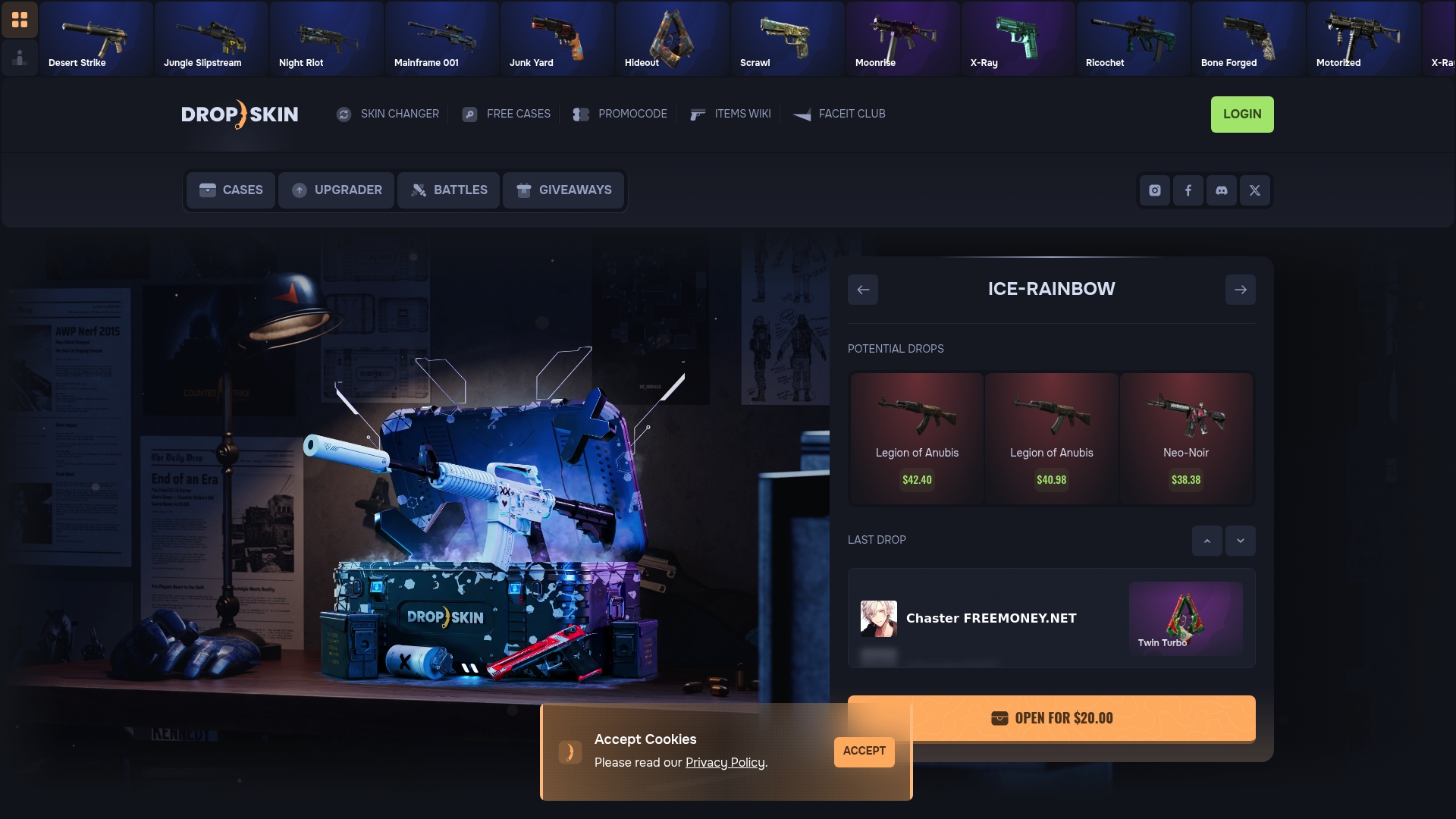
On Dropskin, you can open CS2 cases and upgrade existing skins through a straightforward interface built for players who are just getting started. The platform combines case openings, skin upgrades, and battle matches in one place, so you can experiment with different ways to acquire skins before committing to full marketplace trading. Dropskin also runs regular giveaways and promo codes that reduce the cost of your first few cases. For a beginner building a budget-conscious skin collection, that kind of low-stakes entry point makes a real difference.
FAQ
What do I need before I can start trading CS2 skins?
You need a Steam account with at least $5 spent, Steam Guard Mobile Authenticator enabled for 15 days, and no active trade bans. Missing any of these requirements results in trade holds or blocked trades.
How long does a trade hold last in CS2?
Trade holds last up to 15 days and apply when Steam Guard has not been active long enough on your account. Enabling the authenticator immediately and waiting out the 15-day period eliminates holds entirely.
What is the best strategy for beginner skin traders?
Arbitrage is the most reliable beginner method. Buy underpriced skins on one marketplace and sell them at a higher price on another, checking at least three platforms per trade to account for fee differences.
How do I avoid scams when trading CS2 skins?
Never click links sent in chat, always type marketplace URLs manually, and verify every item in the Steam trade window before confirming. Reject any offer involving a "middleman" since Steam's system does not require one.
Can I trade a skin I just bought on Steam?
No. Newly purchased skins have a 10-day quarantine period before they become tradable. Plan purchases in advance so your inventory is ready when a good trade opportunity appears.