TL;DR:
- Negotiating skin trades on Steam requires careful item verification, market data analysis, and understanding fee structures to maximize profit.
- Using third-party platforms like BUFF163 or Skinport for pricing and payouts can significantly improve trade value and safety compared to Steam Market.
Negotiating skin trades is the practice of crafting fair, secure, and profitable item exchanges within Steam's Trade Offer system by verifying item details carefully and using real market data to set your price. Every CS:GO and CS2 player who wants to upgrade their inventory without overpaying needs to understand how to negotiate skin trades before sending a single offer. The Steam Trade Offer system handles the mechanics, but your knowledge of float values, fee structures, and scam tactics determines whether you profit or lose value. This guide covers the full skin trading negotiation process, from opening your first offer to choosing the right platform for maximum return.
How to negotiate skin trades using Steam Trade Offers
The Steam Trade Offer system is the official negotiation platform for CS2 skin swaps, and every trade follows the same structured flow: offer, counteroffer, and atomic confirmation. Understanding each step is what separates players who consistently get fair deals from those who accept the first offer they see.
Here is how the process works from start to finish:
- Get the Trade URL. Your trading partner shares their Steam Trade URL, or you send yours. This URL bypasses the Steam friends requirement, so you can negotiate with anyone in the community. Make sure your profile and inventory are set to public, or trade offers cannot reach you at all.
- Build the offer. Select the skins you want to give and the skins you want to receive. Be precise here. Pull up third-party pricing data before you lock in your selections so you know the exact market value of every item on both sides.
- Send and wait for a response. The recipient can accept, decline, or counter. Counter-proposals are allowed repeatedly until both parties reach agreement, which mirrors a real negotiation back-and-forth.
- Review the verification window. Before you click accept on any incoming offer, Steam shows you the exact items being exchanged. This is your last line of defense. Use it.
- Confirm through Steam Guard. Both parties confirm the trade. The exchange is atomic, meaning both transfers happen simultaneously. Neither side can receive items without the other side giving theirs.
Pro Tip: Enable Steam Guard Mobile Authenticator at least seven days before you plan to trade. Active Steam Guard cuts your trade hold from 15 days down to 7 days, which matters a lot when you are negotiating time-sensitive deals on high-demand skins.
The atomic nature of Steam trades is a major advantage. Unlike off-platform deals, there is no "send first and trust me" risk inside the official system. Build every negotiation around verifiable offers inside Steam, not promises made in Discord or chat.
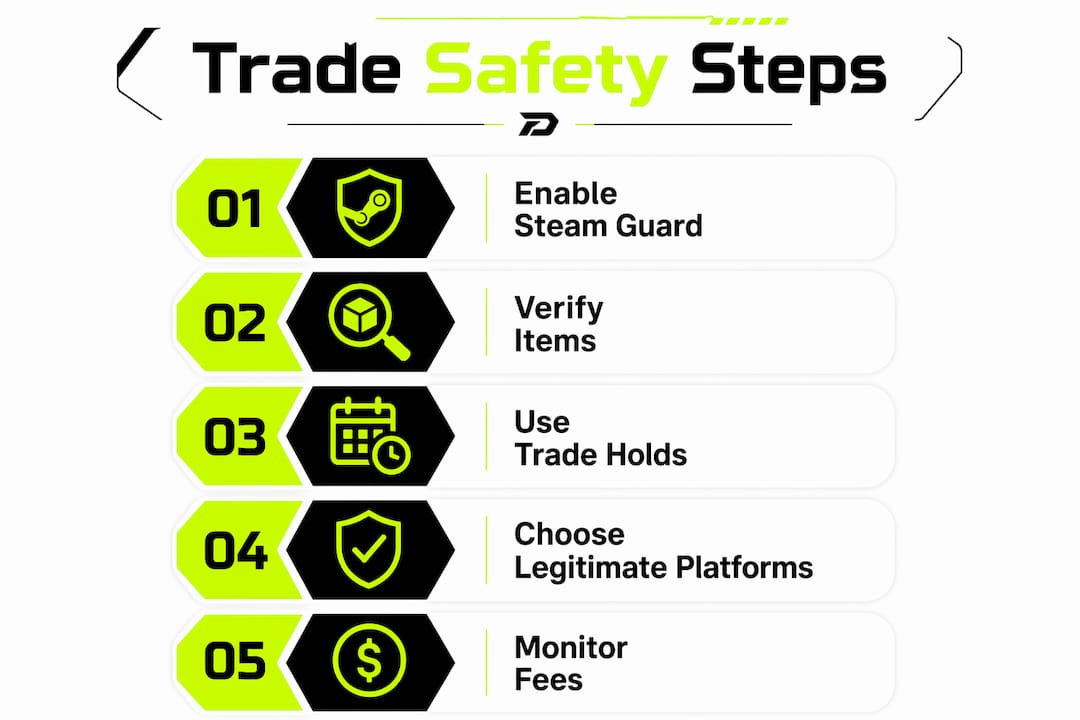
What safety measures prevent fraud during skin trade negotiations?
Fraud is the single biggest threat to your inventory during the skin trading negotiation process. Scammers are sophisticated, and many tactics are designed to exploit the exact moment you are most excited about a deal.
The most common threats you will face include:
- Phishing links. Scammers send fake Steam login pages disguised as trade sites or inventory checkers. Always verify the URL before entering credentials.
- "Send to friend first" requests. This is a classic scam. No legitimate trade requires you to send items before receiving yours. Off-platform deal pressure is a red flag every time.
- Near-identical item swaps. A scammer builds an offer with a skin that looks almost identical to the one you agreed on, but with a worse float or missing stickers. They count on you clicking accept without checking.
- Fake middlemen. Someone poses as a trusted community figure and offers to hold items during a trade. Steam's atomic system makes middlemen completely unnecessary.
- Urgency tactics. "This deal expires in 10 minutes" is designed to stop you from verifying. Slow down whenever someone rushes you.
The verification window during trade finalization is your most powerful security tool. Experienced traders inspect float values, sticker placement, and pattern indices before accepting every single trade, not just the ones that feel suspicious.
Trade holds also function as a safety net. If you realize you accepted a bad deal, the hold window gives you time to cancel before items actually transfer. This is one reason why Steam Guard status affects your negotiation risk profile directly. A 15-day hold on an account without Steam Guard gives you more cancellation time, but it also slows down every legitimate deal you want to close.
For additional security practices tailored to CS2 in 2026, the safe skin trading guide from Dropskin covers verification workflows in detail.
How do you maximize value when negotiating skin trades?
Fee awareness is the most underused skill in skin trade negotiation. Most players focus entirely on the item price and ignore the fee drag that quietly erodes their returns.
Steam Market charges a 15% total fee on every sale, split between a 5% Valve cut and a 10% publisher fee. That means you receive only 85 cents for every dollar of listed value. For a $200 skin, you lose $30 before the buyer even clicks purchase. This fee structure makes Steam Market a poor benchmark for negotiating peer-to-peer trades.
Here is how the major platforms compare:
| Platform | Fee Rate | Payout Type | Best Use Case |
|---|---|---|---|
| Steam Market | 15% | Steam wallet credit only | Convenience, not profit |
| Skinport | ~12% all-in | Real money | Selling for cash with moderate fees |
| BUFF163 | ~2.5% | Real money | Lowest fees, best for high-value skins |
| Peer-to-peer (Steam) | 0% | Direct item swap | Maximum value, higher scam risk |
Third-party marketplaces like BUFF163 and Skinport give you real-money payouts and dramatically lower fee rates. BUFF163's roughly 2.5% fee means you keep 97.5 cents on the dollar compared to Steam's 85 cents. For a $500 knife trade, that difference is $62.50 in your pocket.
The practical negotiation strategy is to use BUFF163 or Skinport prices as your baseline when proposing or evaluating a peer-to-peer swap. If someone offers you a skin worth $100 on BUFF163, you know its Steam Market listing will show higher due to fee inflation. Anchoring your counteroffer to the lower-fee marketplace price gives you a defensible, data-backed position.
Pro Tip: Time your trades around your trade hold status. If you are sitting on a 7-day hold, factor that liquidity delay into your negotiation. A seller who needs cash fast may accept a lower offer to avoid waiting.
What are practical tips for executing successful offers and counteroffers?
The mechanics of Steam trades are straightforward. The negotiation skill is in how you communicate value, respond to counteroffers, and avoid the mistakes that kill deals or cost you money.
The most effective skin trade strategies come down to preparation and discipline:
- Price every item before you open the trade window. Check BUFF163, Skinport, and Steam Market for the same skin before you propose or accept any swap. Walking in with three data points makes your position hard to argue against.
- Lead with a fair offer, not a lowball. Experienced traders recognize a bad-faith opening offer immediately and will decline without countering. A reasonable first offer signals that you know the market and want a real deal.
- Respond to counteroffers with data, not emotion. If someone counters your offer, explain your pricing source. "BUFF163 has this at $85, so I priced it at $83" is a stronger position than "I think it's worth that."
- Slow down at the verification stage. Check the float value, pattern index, and sticker details on every skin in the final window. Scam swaps happen at this exact moment, when you are most eager to complete the deal.
- Set your inventory to public. Private inventory settings block incoming trade offers entirely, which cuts off negotiation opportunities before they start.
- Use trading communities for pricing intel. Reddit's r/GlobalOffensiveTrade, Discord servers, and CS2 trading forums give you real-time data on what deals are actually closing, not just what sellers are asking.
The CS2 trading tips guide from Dropskin goes deeper on how to verify skin details during the negotiation window to avoid accidental or fraudulent trades.
How to choose the best platform for your skin trade negotiations
Where you negotiate matters as much as how you negotiate. Each platform offers a different tradeoff between security, speed, fees, and liquidity.
Peer-to-peer Steam trades carry zero fees but require you to manage scam risk entirely on your own. Bot-based marketplace trades add security through escrow models but charge fees that reduce your net return. The right choice depends on the skin's value and how much risk you are willing to manage.
| Platform Type | Fee | Security | Speed | Best For |
|---|---|---|---|---|
| Steam P2P trade | 0% | User-managed | Moderate | High-value swaps with trusted traders |
| Steam Market | 15% | High (Valve-backed) | Fast | Quick sales, low-value skins |
| BUFF163 | ~2.5% | Escrow-backed | Moderate | High-value skins, lowest fee drag |
| Skinport | ~12% | Escrow-backed | Fast | Real-money payouts, mid-tier skins |
| DMarket | Varies | Escrow-backed | Fast | Instant bot trades, broad inventory |
Escrow-based marketplaces like BUFF163, Skinport, and DMarket hold items in a secure intermediary account until both sides confirm the transaction. This model removes the trust requirement from peer-to-peer deals and makes scam swaps nearly impossible. The tradeoff is the fee, which you need to factor into your negotiation price.
For instant bot trades, platforms like DMarket let you sell or buy at posted prices without any negotiation. This is useful when you want speed over maximum value. Manual peer-to-peer negotiation through Steam is better when you have a specific skin with unique attributes, like a low float or rare pattern, that commands a premium above standard market listings.
Always verify platform legitimacy before depositing skins. Check for SSL certificates, community reputation on forums like Reddit and Steam groups, and whether the platform uses Steam's official trade API. The complete CS2 trading guide from Dropskin covers platform verification steps in full.
Key takeaways
Successful skin trade negotiation requires fee-aware pricing, rigorous item verification, and choosing the right platform for each trade's risk and value profile.
| Point | Details |
|---|---|
| Use Steam Trade Offers correctly | Send offers via Trade URL, counter repeatedly, and confirm only after verifying every item detail. |
| Verify items at every stage | Check float, pattern index, and stickers in the final window to block near-identical scam swaps. |
| Account for fee drag | Steam Market's 15% fee inflates prices; use BUFF163 or Skinport data as your real negotiation baseline. |
| Enable Steam Guard early | Active Steam Guard cuts trade holds from 15 days to 7 days, improving deal timing and liquidity. |
| Match platform to trade type | Use peer-to-peer for zero-fee high-value swaps with trusted traders; use escrow marketplaces for safer, faster transactions. |
The part most traders skip entirely
After watching thousands of trades move through the CS2 community, the pattern is consistent: players who lose value are not losing it to bad luck. They are losing it to impatience and incomplete information. Someone sends a counteroffer, the other player gets excited, skips the verification window, and clicks accept on a skin with a 0.35 float instead of the 0.18 they negotiated. That mistake costs real money and takes 30 seconds to prevent.
The other thing most guides will not tell you is that the fee conversation is where most of the negotiating power actually lives. When you walk into a peer-to-peer trade knowing that the skin is listed at $120 on Steam Market but $98 on BUFF163, you have a concrete anchor for your counteroffer. The person on the other side of the trade may not know that. That information gap is your advantage.
In 2026, the platform options are better than they have ever been. BUFF163, Skinport, and DMarket all offer escrow protection and real-money payouts that Steam Market cannot match. The traders who build a habit of checking multiple platforms before every negotiation consistently outperform those who rely on Steam Market prices alone.
One more thing: build your trading network deliberately. A small group of verified, trustworthy traders you have dealt with before is worth more than access to thousands of strangers. Repeat trades with known counterparties cut your scam risk to near zero and let you move faster because the verification burden is lower. Patience and a good network compound over time in ways that no single trade ever will.
— DROPSKIN
Take your skin value further with Dropskin
You have the negotiation knowledge. Now put it to work with the right tools behind you. Dropskin's skin upgrader lets you convert lower-value skins into higher-tier items without the friction of peer-to-peer negotiation. After you close a trade and land a new skin, the upgrader gives you a direct path to push that value even higher.
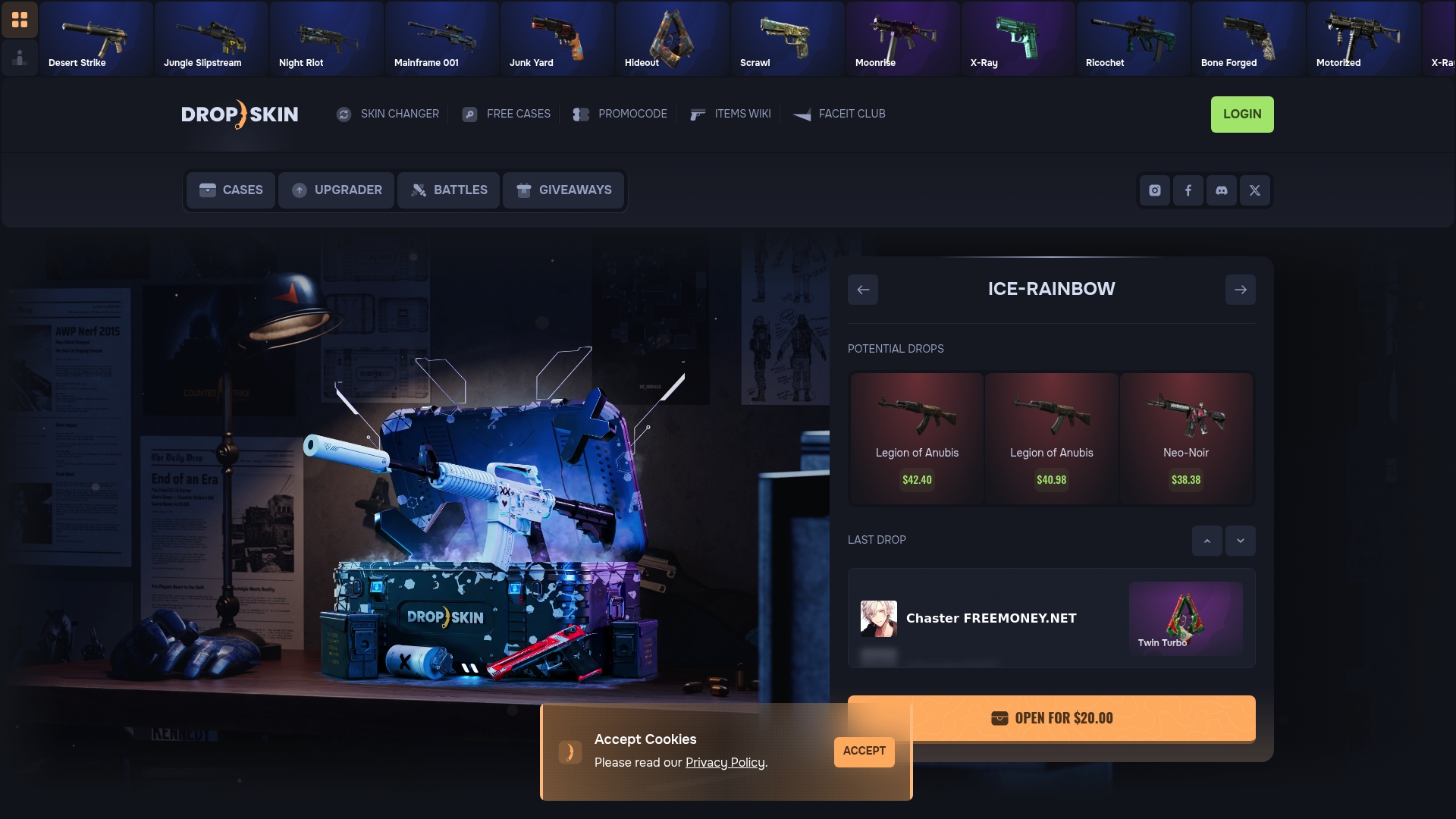
Dropskin also offers CS2 case openings, battle modes, and giveaways that give you more ways to build your inventory beyond standard trades. Whether you want to flip a mid-tier skin into something premium or just explore what the Dropskin platform has to offer, the tools are built for CS2 players who take their inventory seriously. Check out Dropskin and see how far your current skins can take you.
FAQ
How does the Steam skin trade negotiation process work?
Steam Trade Offers let you select items to give and receive, send the offer, and negotiate through counteroffers until both sides agree. The trade is atomic, meaning both transfers happen simultaneously at confirmation so neither party can receive items without giving theirs.
What is the biggest scam risk when negotiating skin trades?
Near-identical item swaps at the verification stage are the most dangerous tactic. Scammers substitute a skin with a worse float or missing stickers at the last moment, counting on you to click accept without checking the exact item details.
Why does Steam Guard Mobile Authenticator matter for skin trades?
Enabling Steam Guard Mobile Authenticator for at least seven days reduces your trade hold from 15 days to 7 days. Shorter holds improve your negotiation timing and reduce the window during which a deal can fall apart.
Should I use Steam Market or a third-party marketplace to price my skins?
Use third-party marketplaces like BUFF163 or Skinport as your pricing baseline. Steam Market's 15% fee inflates listed prices, while BUFF163's roughly 2.5% fee reflects closer to true market value, giving you a stronger anchor for peer-to-peer negotiations.
Do I need to set my Steam inventory to public to receive trade offers?
Yes. If your Steam profile or inventory is set to private, other players cannot send you trade offers at all, which cuts off your negotiation opportunities entirely before any deal can start.