TL;DR:
- Custom matches in CS2 are private, invite-only game modes that allow full control over maps and rules without affecting rank. They enable players to practice, run scrims, and host community events with unlimited customization options. These matches do not impact competitive statistics, making them ideal for experimentation and community-building.
A custom match is a private, invite-only game mode in CS:GO and CS2 that gives the host full control over maps, rules, and player access without affecting competitive rank or Trust Factor. Unlike public matchmaking, these sessions run entirely on your terms. You pick the map, set the rules, and decide who gets in. For players serious about practice, scrims, or community events, understanding the custom match definition is the first step toward using CS2's most flexible game format.
What is a custom match in CS2 and CS:GO?
A custom match in CS2 is an invite-only private environment that lets you adjust game settings far beyond what standard queues allow. Maps, round time, freeze time, friendly fire, and game mode are all configurable before the first round starts. That level of control makes custom matches the go-to format for scrims, training sessions, and community events.
Custom matches are built into CS2's native client. No mods, no console commands, and no third-party software are required for a basic private lobby. That accessibility matters because it removes the technical barrier that keeps many players from using this format regularly.
The term "private match" is the standard industry label you will see in Valve's own menus. "Custom match" is the broader community term that covers everything from a two-player aim training session to a full 10-person scrim with tournament rules. Both phrases refer to the same core feature.
How do custom matches differ from public matchmaking?
Public matchmaking pairs players by Skill Group and Trust Factor. Custom matches bypass both systems entirely, so a Global Elite and a Silver can share the same lobby without any rating consequences for either player. That freedom is the defining difference.
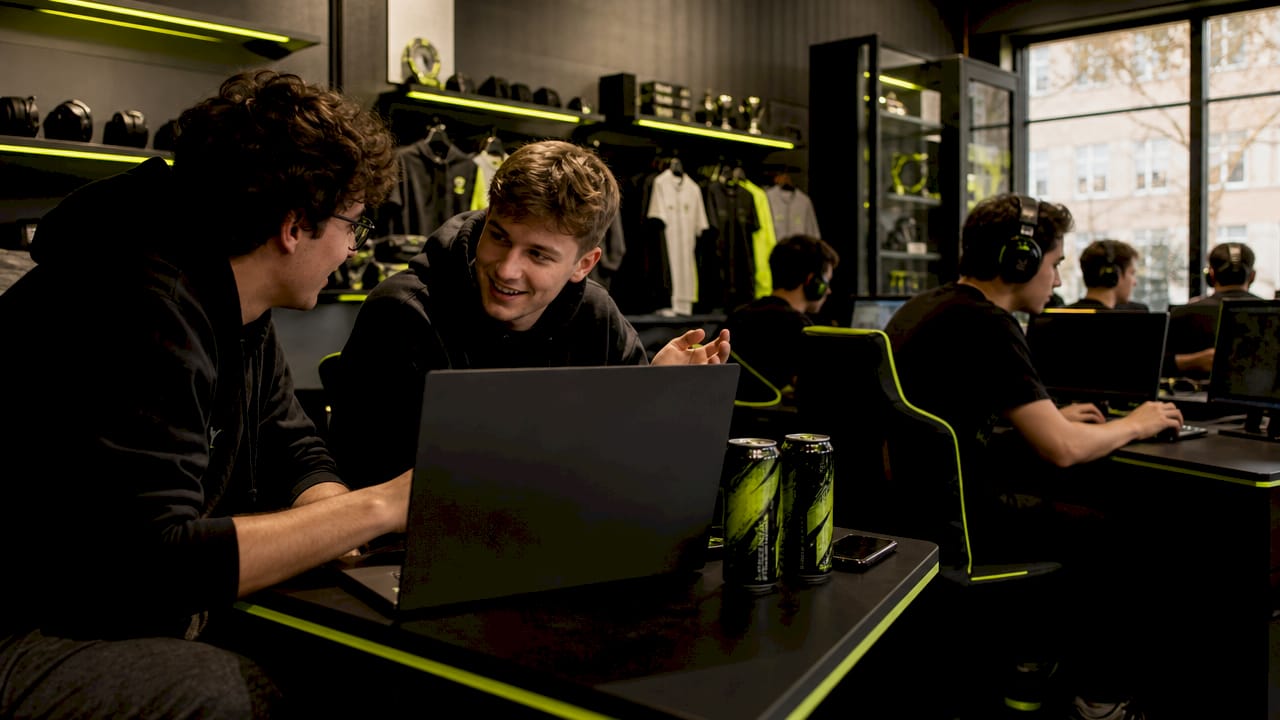
The practical gap goes deeper than rank protection. Public queues lock you into a fixed map pool and standard rule sets. Custom lobbies open up workshop maps, specialty modes, and rule modifications that simply do not exist in the public playlist. Surf maps, aim trainers, and retake scenarios are all available through workshop content.
Here is a clear breakdown of the key differences:
- Rank impact: Public matchmaking affects your Skill Group. Custom matches have zero impact on competitive rating.
- Map selection: Public queues use a rotating pool. Custom matches support any downloaded map, including workshop content.
- Rule control: Public games run fixed settings. Custom hosts can adjust round time, freeze time, friendly fire, and more.
- Player access: Public lobbies fill with strangers. Custom lobbies use direct invites or private codes.
- Statistics: Public games count toward your official stats. Custom match results do not appear in your competitive record.
Pro Tip: If you want to practice a specific map before a ranked session, run a custom lobby with bots first. You get full map control with zero rank risk.
What are the main features of custom matches?
Custom matches support four primary game modes: Competitive, Casual, Deathmatch, and Wingman. Each mode carries its own default settings, but hosts can override most parameters after selecting the mode. That combination of preset and override gives you a fast starting point without locking you in.
The most useful settings for serious players include:
- Map selection — Choose any official map or a downloaded workshop map.
- Round time — Shorten rounds for fast-paced aim training or extend them for methodical strategy practice.
- Freeze time — Reduce or eliminate the buy phase for specific drill formats.
- Friendly fire — Toggle on for accountability-focused scrims or off for casual sessions.
- Bot fill — Add bots to fill empty slots, useful for solo practice or small group drills.
- Privacy settings — Use direct invites or a private lobby code to control access.
| Setting | Default | Custom range |
|---|---|---|
| Round time | 1 minute 55 seconds | Adjustable |
| Freeze time | 15 seconds | Adjustable |
| Friendly fire | Off | On or Off |
| Map pool | Ranked rotation | Any workshop map |
| Bot difficulty | Not set | Easy to Expert |
Advanced setups go further. Dedicated servers with RCON commands allow professional-style rule modifications including overtime formats and round-timer overrides. This is the setup most competitive teams use for official scrims.
Pro Tip: Download a workshop aim training map before your next ranked session. Running 15 minutes of custom aim drills costs you nothing in rank and pays off immediately in your first competitive game.
How to create and manage a custom match in CS2
Setting up a custom lobby takes under two minutes once you know the path. The setup requires no mods or external tools for a standard private game.
- Open the Play menu from the CS2 main screen.
- Select "Private Queue" or the custom game option in the lobby type selector.
- Choose your map from the official pool or your workshop subscriptions.
- Set your game mode — Competitive, Casual, Deathmatch, or Wingman.
- Adjust settings — Round time, freeze time, friendly fire, and bot count.
- Invite players using the Steam friend list or generate a private lobby code.
- Launch the match once all players are ready.
Lobby management is where many hosts make mistakes. Leaving a lobby public by accident lets strangers join mid-session and disrupts organized practice. Always verify the privacy setting before sending invites. Use direct Steam invites for small groups and lobby codes for larger community events where you want controlled but broader access.
Player permissions also matter in larger lobbies. The host controls who can change settings and who can kick players. Assign a trusted co-host if you are running a tournament-style event with multiple rounds.
Pro Tip: Create a Steam group for your regular scrim partners. Group invites let you fill a 10-player lobby in seconds without hunting down individual profiles.
What are the practical benefits of custom matches for competitive players?
Custom matches fill a gap that public matchmaking cannot cover. They replicate professional environments for team practice without the rank pressure that distorts decision-making in ranked games. That pressure-free context is exactly what teams need when learning new strategies.
The practical applications are wide and specific:
- Team scrims — Run full 5v5 matches against a known opponent to test strategies before ranked play. Check out competitive battle modes for formats that work well in scrim settings.
- Smoke and utility practice — Isolate specific rounds to drill grenade lineups on a single site.
- Retake training — Load a retake workshop map and run repetitions until rotations become automatic.
- Private tournaments — Host community events with brackets and custom rules without touching anyone's official rank.
- Content creation — Streamers and content creators use custom lobbies for controlled gameplay, staged scenarios, and viewer participation events.
- Social play — Casual groups use custom matches to play together without random teammates changing the dynamic.
Custom matches also let you experiment with rules that public queues never offer. Want to run a pistol-only round format for 20 minutes? A no-scope sniper lobby? A 1v1 map with custom win conditions? All of that is available through workshop maps and adjusted settings. That experimental freedom is what makes custom matches valuable beyond just ranked preparation.
The community-driven value of custom matches extends to grassroots esports. Regional amateur leagues, Discord server tournaments, and university team competitions all run on private lobbies. These events build the competitive pipeline that feeds into professional play.
Key Takeaways
Custom matches in CS2 are the most flexible and risk-free format available, giving players full control over settings, maps, and access without any impact on competitive rank or statistics.
| Point | Details |
|---|---|
| No rank impact | Custom matches bypass Skill Group and Trust Factor entirely, making them safe for any practice. |
| Full settings control | Hosts adjust maps, round time, freeze time, friendly fire, and bots before each session. |
| Workshop map support | Aim trainers, surf maps, and retake scenarios are all accessible through downloaded workshop content. |
| Fast setup | Basic private lobbies require no mods and take under two minutes to configure in the native CS2 client. |
| Wide practical use | Scrims, utility drills, private tournaments, and content creation all run effectively in custom lobbies. |
Dropskin's take on custom matches
Custom matches are one of the most underused tools in CS2. Most casual players assume they require technical setup or a full team to be worth the effort. Neither is true. A solo player can load a workshop aim map in under two minutes and get more focused practice than an entire ranked session delivers.
The real value shows up at the team level. Ranked games punish experimentation. Every round carries rating weight, so players default to safe, familiar plays. Custom scrims remove that weight entirely. Teams can run a new strategy five times in a row, fail repeatedly, and learn without consequence. That kind of deliberate practice is what separates teams that plateau from teams that improve.
Custom matches also build community in a way ranked queues never will. When you control who is in the lobby, you control the culture of the session. That matters for groups that want competitive play without the toxicity that public matchmaking often brings. For content creators, the controlled environment is the product. Staged scenarios, viewer games, and challenge formats all require the kind of access control that only private lobbies provide.
The one area where players consistently leave value on the table is skin loadout customization during custom sessions. Your custom lobby is the best place to test how a new skin looks in actual gameplay before committing to it in ranked. Use that freedom.
— Dropskin
Level up your CS2 experience with Dropskin
Custom matches sharpen your skills and build your community. Dropskin adds another layer to that experience by letting you upgrade the skins you bring into every session.
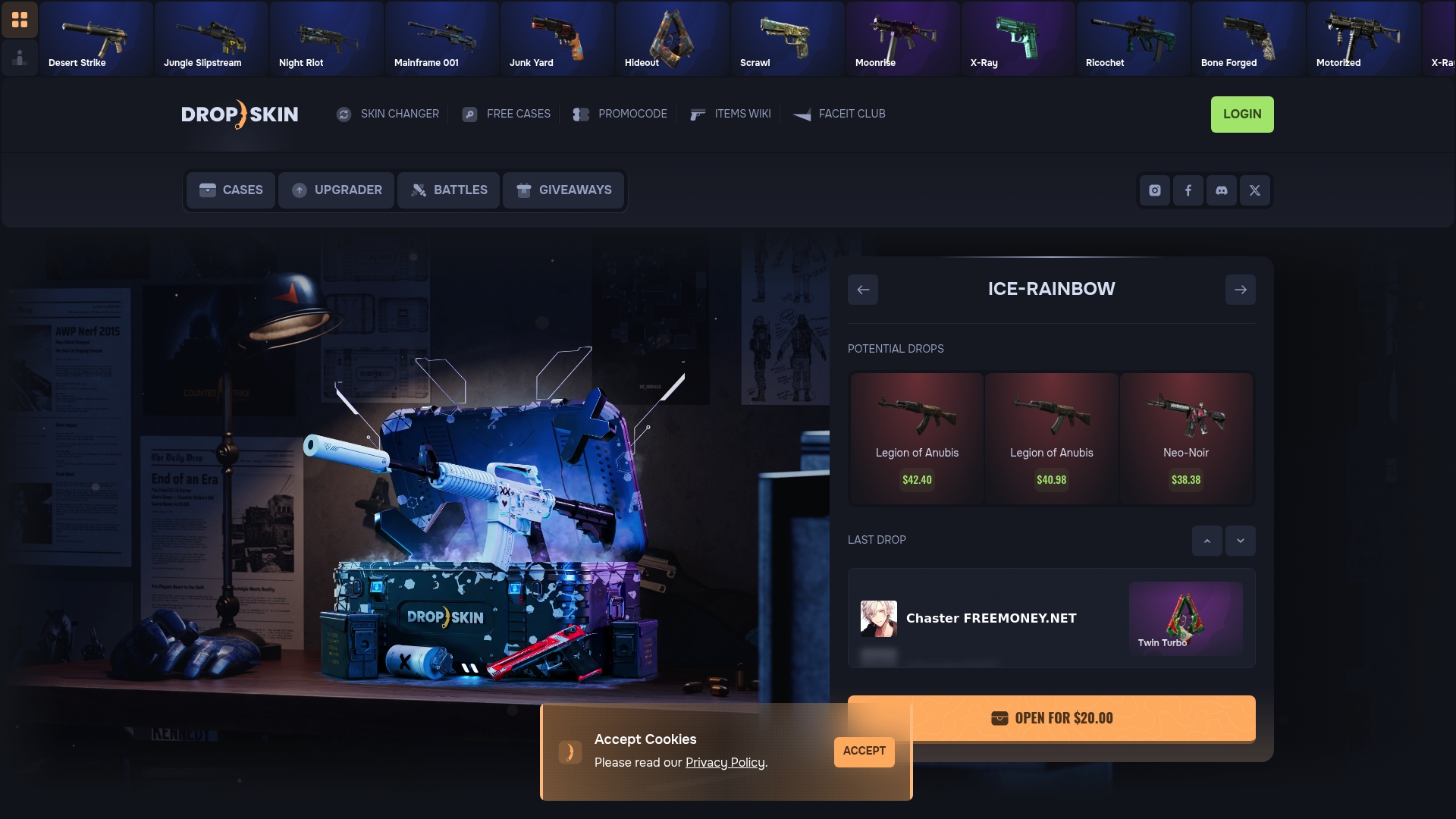
Dropskin is a CS2 platform built for players who want more from their skin collection. Open CS2 cases, run skin upgrades, and enter skin battles where you pick your loadout and compete for better rewards. The platform connects directly to the competitive mindset that custom matches develop. Whether you are grinding scrims or hosting community events, Dropskin gives you the tools to build a collection that matches your playstyle. Visit Dropskin to see current cases, active giveaways, and upgrade options available right now.
FAQ
What is a custom match in CS2?
A custom match is a private, invite-only game session in CS2 where the host controls maps, rules, and player access. It does not affect your competitive Skill Group or Trust Factor.
Does playing a custom match affect my rank?
No. Custom matches bypass rank and Trust Factor systems completely. Your Skill Group and competitive statistics remain unchanged regardless of the result.
Can I use workshop maps in a custom match?
Yes. Custom matches support downloaded workshop maps including aim trainers, surf maps, and retake scenarios that are not available in standard public playlists.
How do I stop strangers from joining my custom lobby?
Set your lobby to private before inviting players. Use direct Steam invites for small groups or generate a private lobby code for larger events. Leaving the lobby public by accident is the most common hosting mistake.
Do I need mods or console commands to create a custom match?
No mods or console commands are required for a basic private lobby. The CS2 native client handles the full setup through the Play menu in under two minutes.